← All work
LionCircuits / Procurement

From a parts list.
To a clear plan.

I connected upload, matching and purchasing so customers can resolve the exceptions before placing an order.

UX & information architectureParts review
Follow the story ↓
PROCUREMENT02 / Upload → Resolve
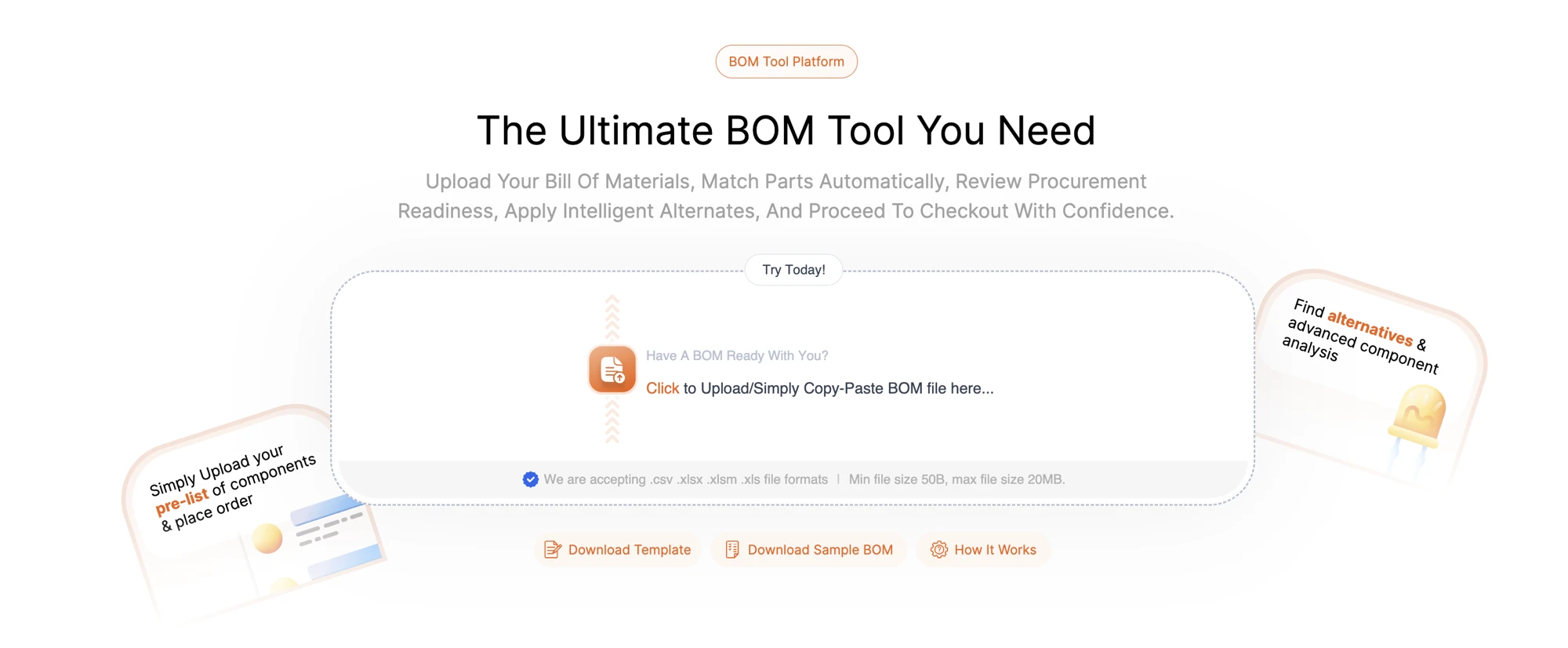
BOM upload and paste entry
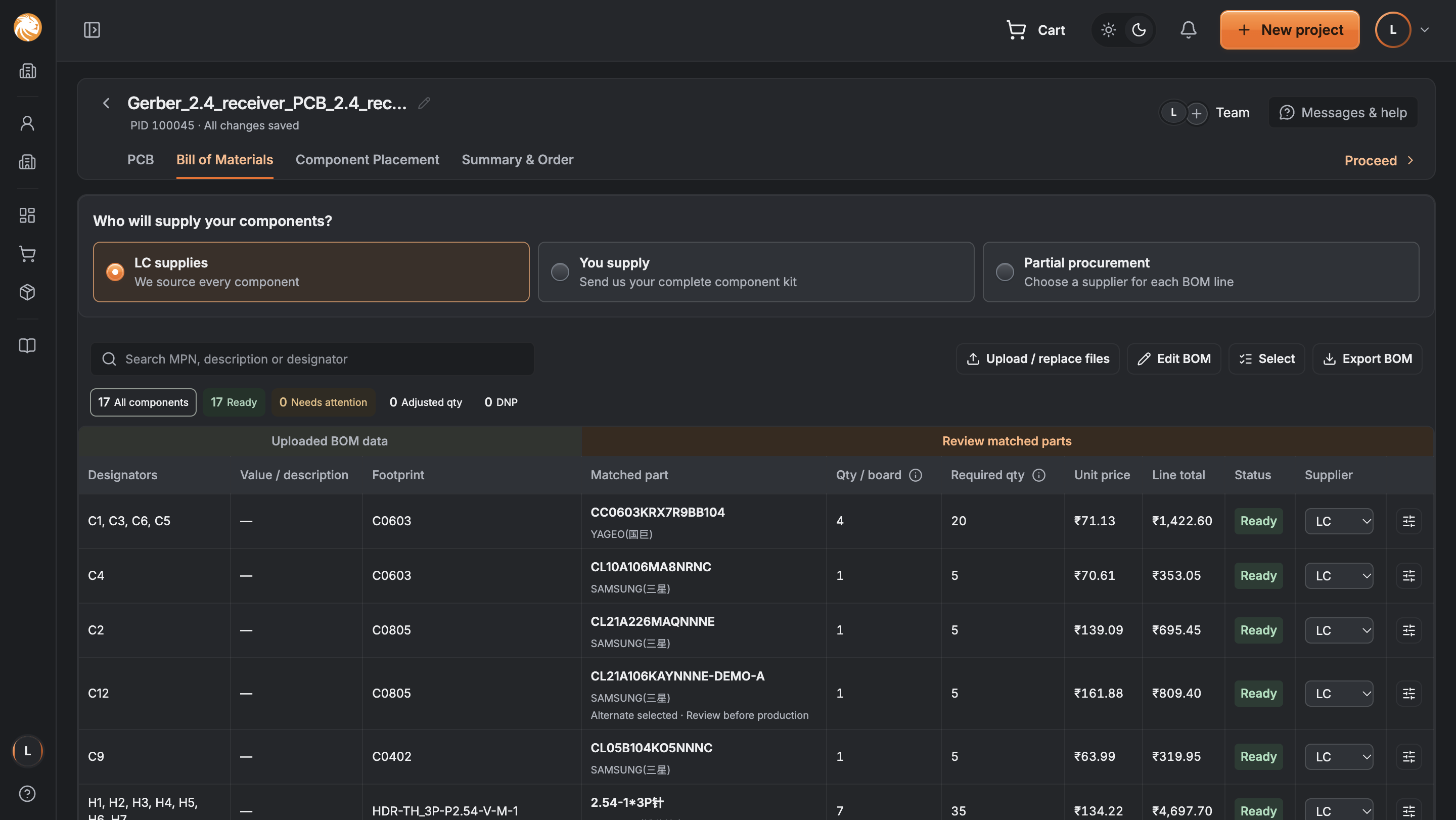
Matched parts with availability and supply choices
3 → 1Starting points, shared journey
Review firstBefore asking guests to sign in
In controlCustomers confirm the match
Design outcomes / No measured conversion claimBy Samriddhi Tiwari
Context

One missing part can hold up a whole build.

The job is to make every line understandable—and every exception actionable.

BOM / The electronic shopping listReview state
MicrocontrollerMatched
ConnectorCheck stock
CapacitorMatch needed
01

A list of parts

A BOM says what a circuit board needs, and how many.

02

A real purchase

Each item needs a match, price and supply route.

03

A complete build

An unresolved line can affect the entire order.

Problem

A connected list. Disconnected tools.

A BOM tool, component shop and assembly quote gave customers 3 different ways to begin.

Why this direction

One shared review can carry the original specification, matched parts and purchasing choices forward.

3 starting points1 reviewable purchase
Unified parts table showing original and matched part information
The shared parts review in the ordering integration
Structure

Resolve the list before committing.

  1. 01

    Upload

    Bring the parts list.

  2. 02

    Map

    Recognise its columns.

  3. 03

    Match

    Find candidate parts.

  4. 04

    Resolve

    Review exceptions.

  5. 05

    Order

    Confirm the purchase.

Guest reviewLet people understand their list first.→Sign in to continueCarry the reviewed work forward.
Solution / 01

Start with the file they already have.

Upload the BOM or paste its contents. The first action stays simple, with sample files nearby.

Design choice

Reduce setup effort before asking customers to interpret a table.

Procurement / Upload
Upload or paste a bill of materials
Solution / 02

Make exceptions stand out.

Keep the original specification beside the matched part. Show quantity, cost, readiness and who supplies it.

Design choice

Filters should surface unresolved lines instead of making people scan every row.

Related ordering integration / Parts review
Ordering parts table with uploaded data beside matched products
Solution / 03

Inspect the alternative. Keep the context.

Open a part to compare stock, price, lead time and alternatives, then return to the same list.

Design choice

An available replacement still needs a technical compatibility check.
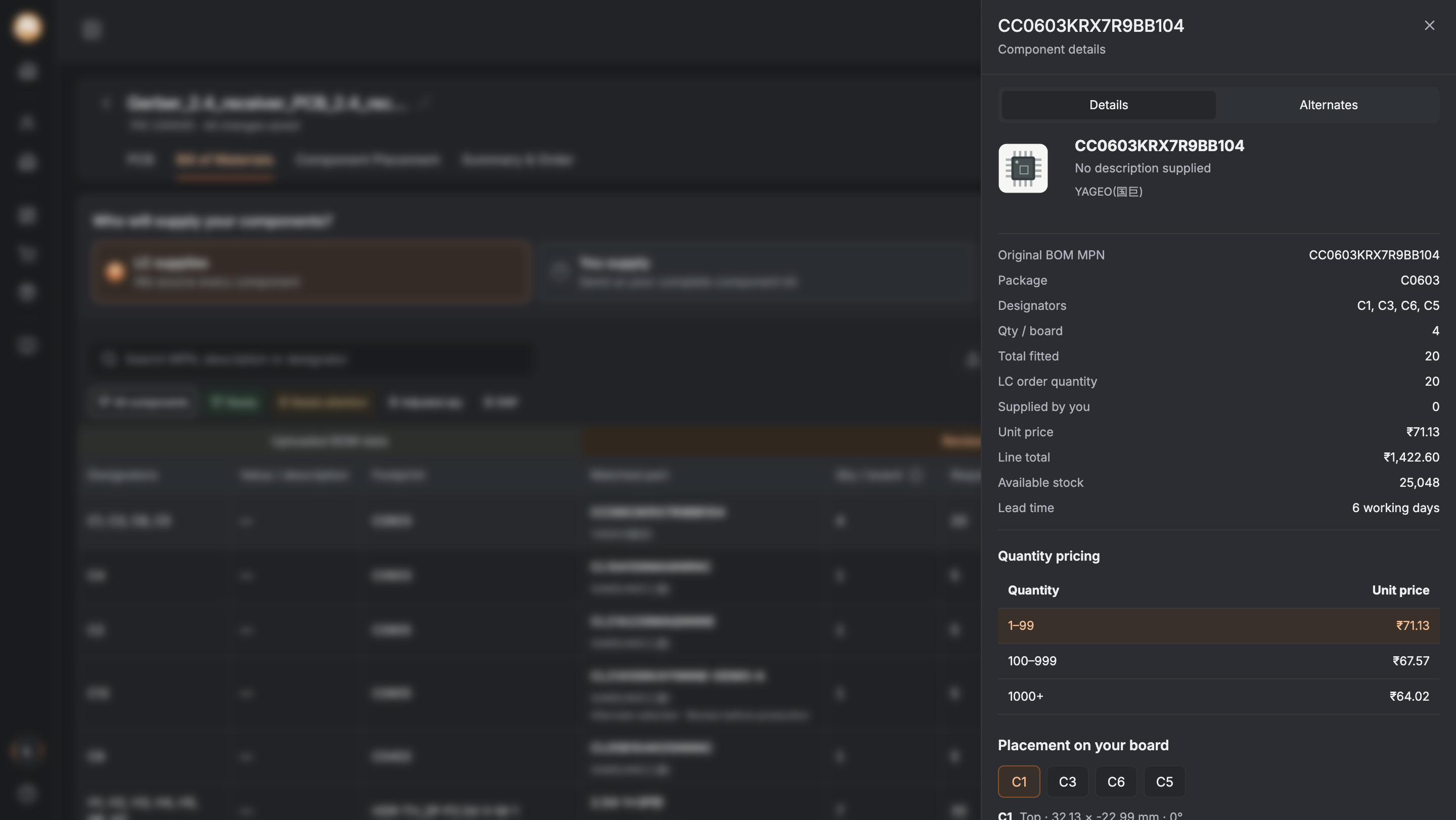
Related ordering integration / Component detail
Component detail drawer with pricing and alternatives
Decisions

Automate the search. Keep people in control.

− Earlier direction? The question✓ Chosen direction
A match looks like approval
Is it technically suitable?
Show the original specification and keep review explicit.
Every row looks equally ready
Which parts can block the order?
Use clear states and attention filters.
Details replace the whole list
How do I return to my review?
Open a contextual drawer.
Prices and stock appear final
What can change before checkout?
Refresh and explain changes before commitment.
Results

A coherent flow. Clear next questions.

3 → 1Starting points, shared journey
Review firstBefore asking guests to sign in
In controlCustomers confirm the match
01

Delivered direction

Upload, matching, review and procurement connected in one journey.

02

Validate next

Test shortages, changed prices, unmatched parts and interrupted sessions.

03

Measure next

Review completion, unresolved lines and checkout progression.

These are design outcomes. Live stock behaviour and conversion impact require validation.

01 / 08Scroll to unfold the story