Gerber
The blueprint: board shape, tracks and layers.
I brought board manufacturing, parts and assembly into one guided journey—from design files to a finished build.
Follow the story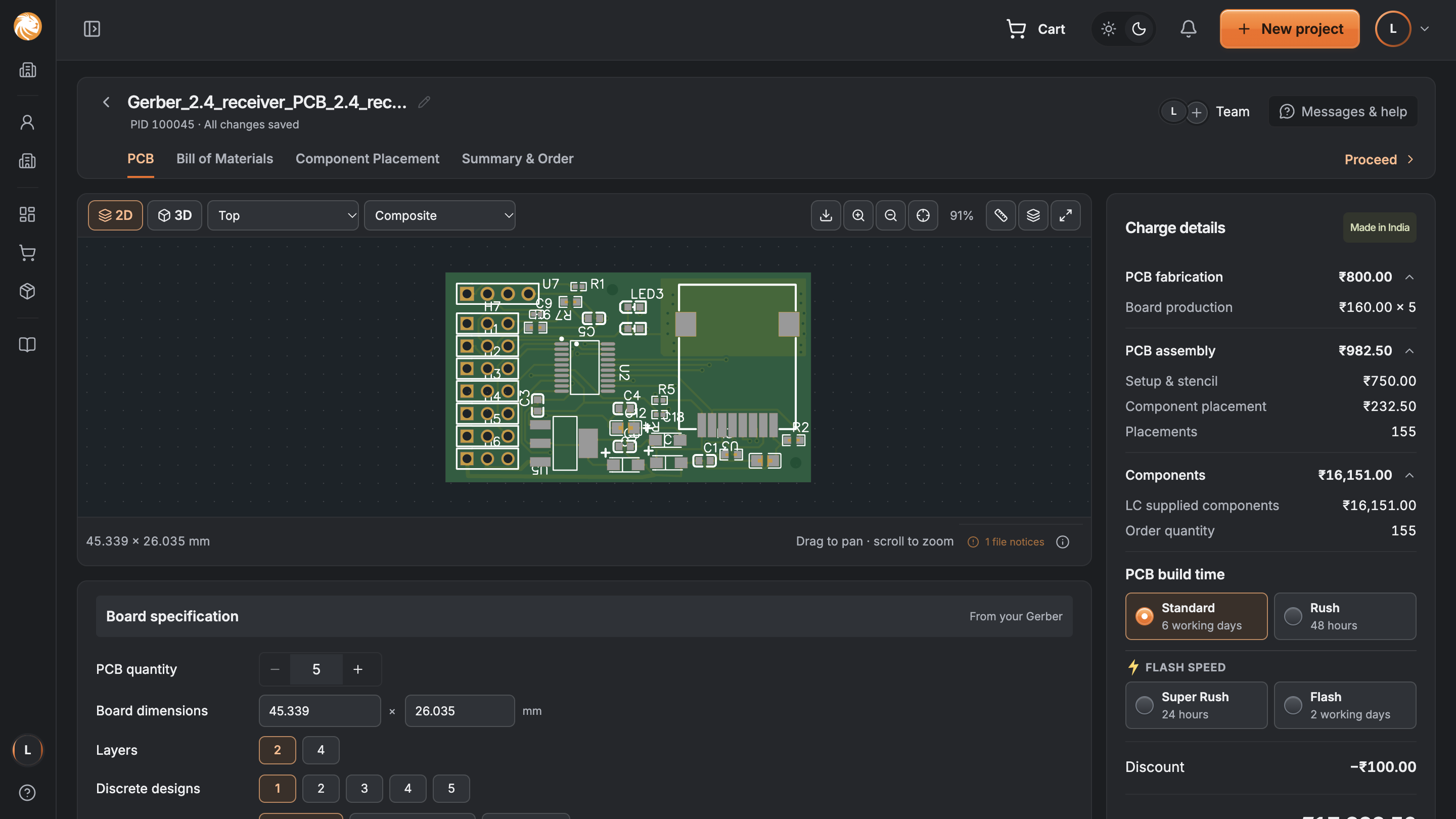
A PCB connects the electronic parts inside a device. To make it work, someone has to make the board, get the parts and put them together.
The blueprint: board shape, tracks and layers.
The shopping list: which parts and how many.
The placement map: where each part goes.
Separate checkouts, payments and records. No shared view of the complete cost.
Files, choices and charges stay connected through 1 guided order.
Informed by customer conversations, support call shadowing and operations reviews.
Is this the right board?
What am I buying?
Is everything in place?
Am I ready to pay?
The complete assembly route is shown. Other services use only the relevant steps.
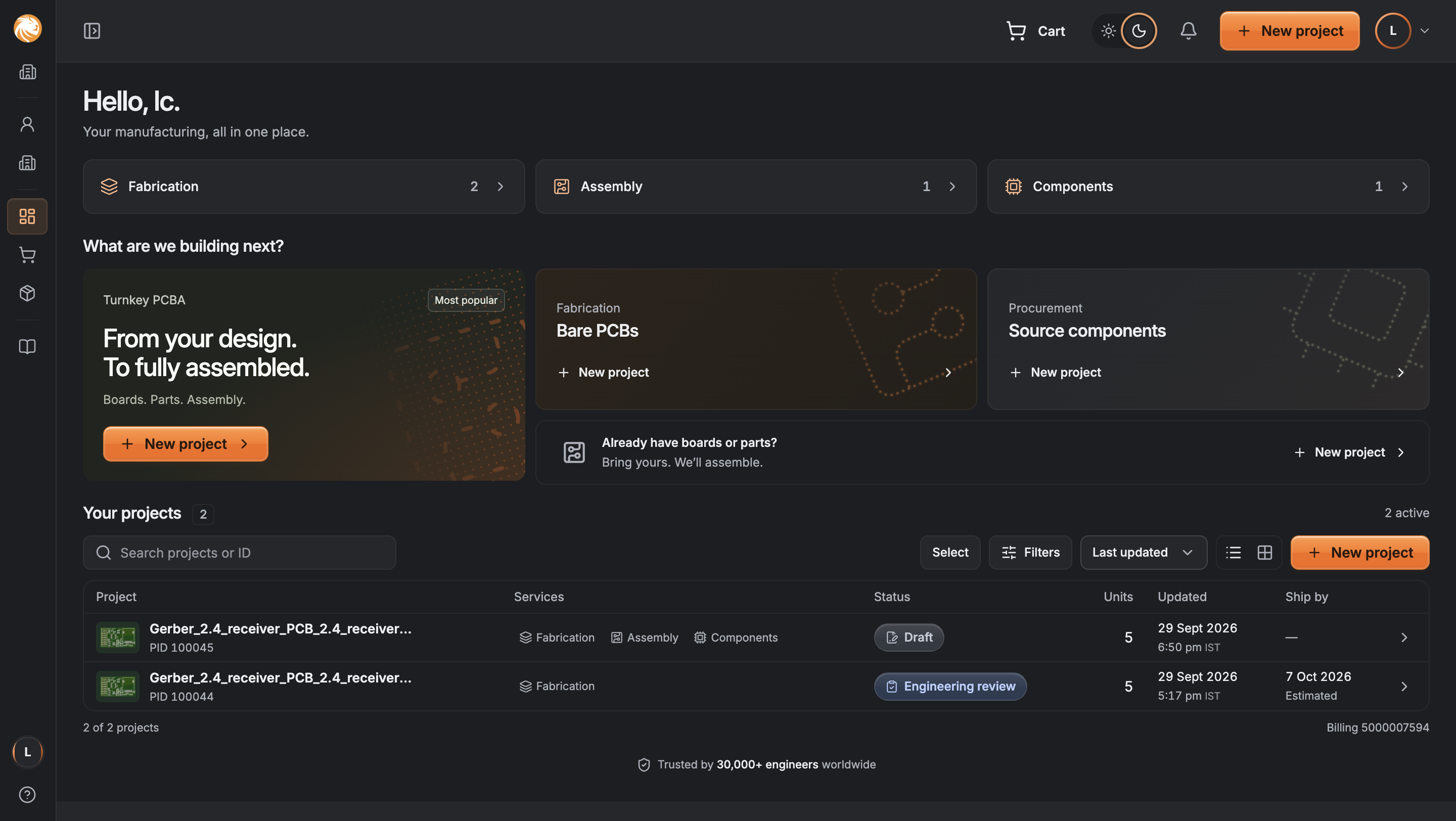
Choose the build, not a department.
See the design and set quantities.
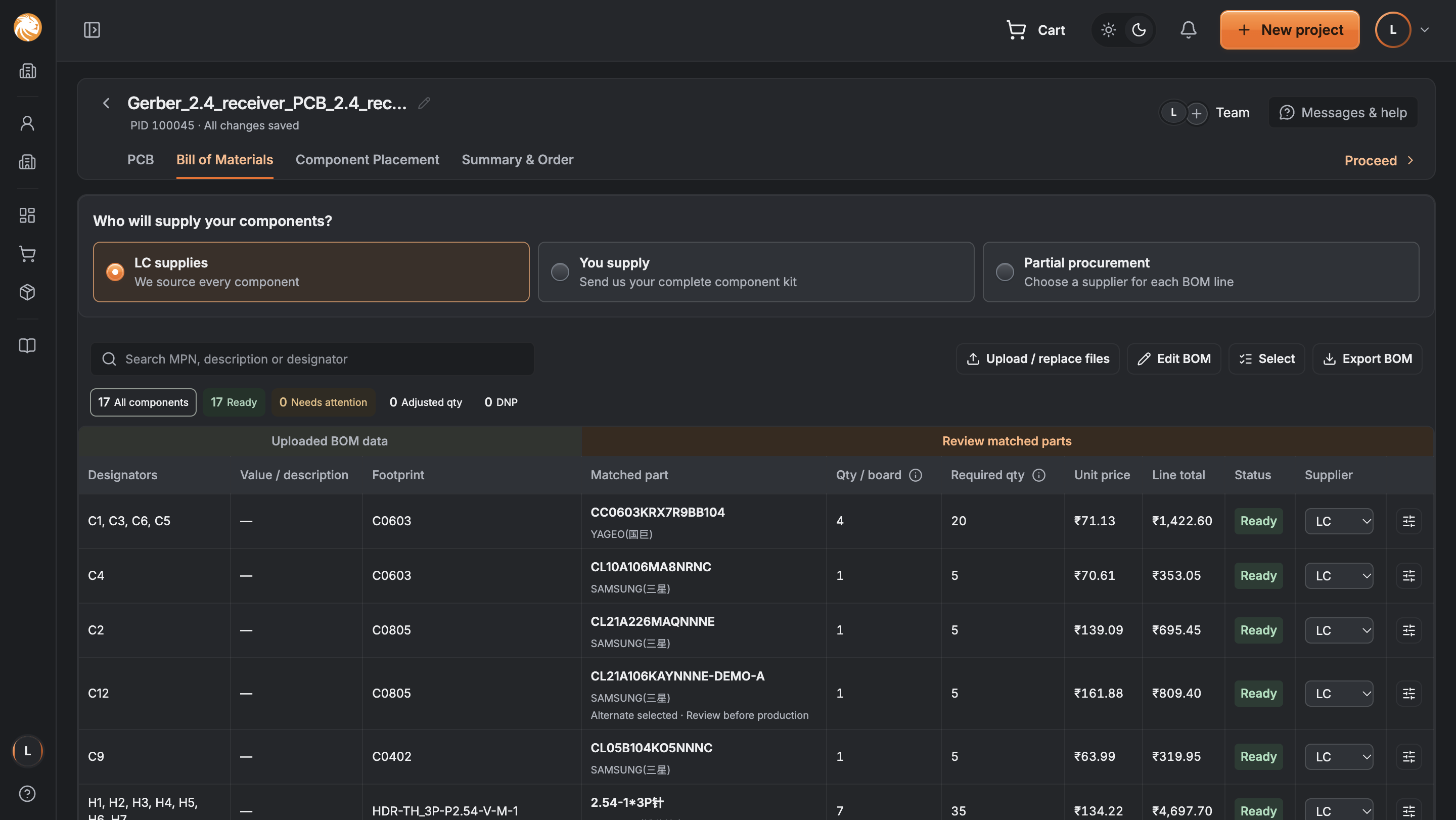
Resolve parts and supply.
Locate each component.
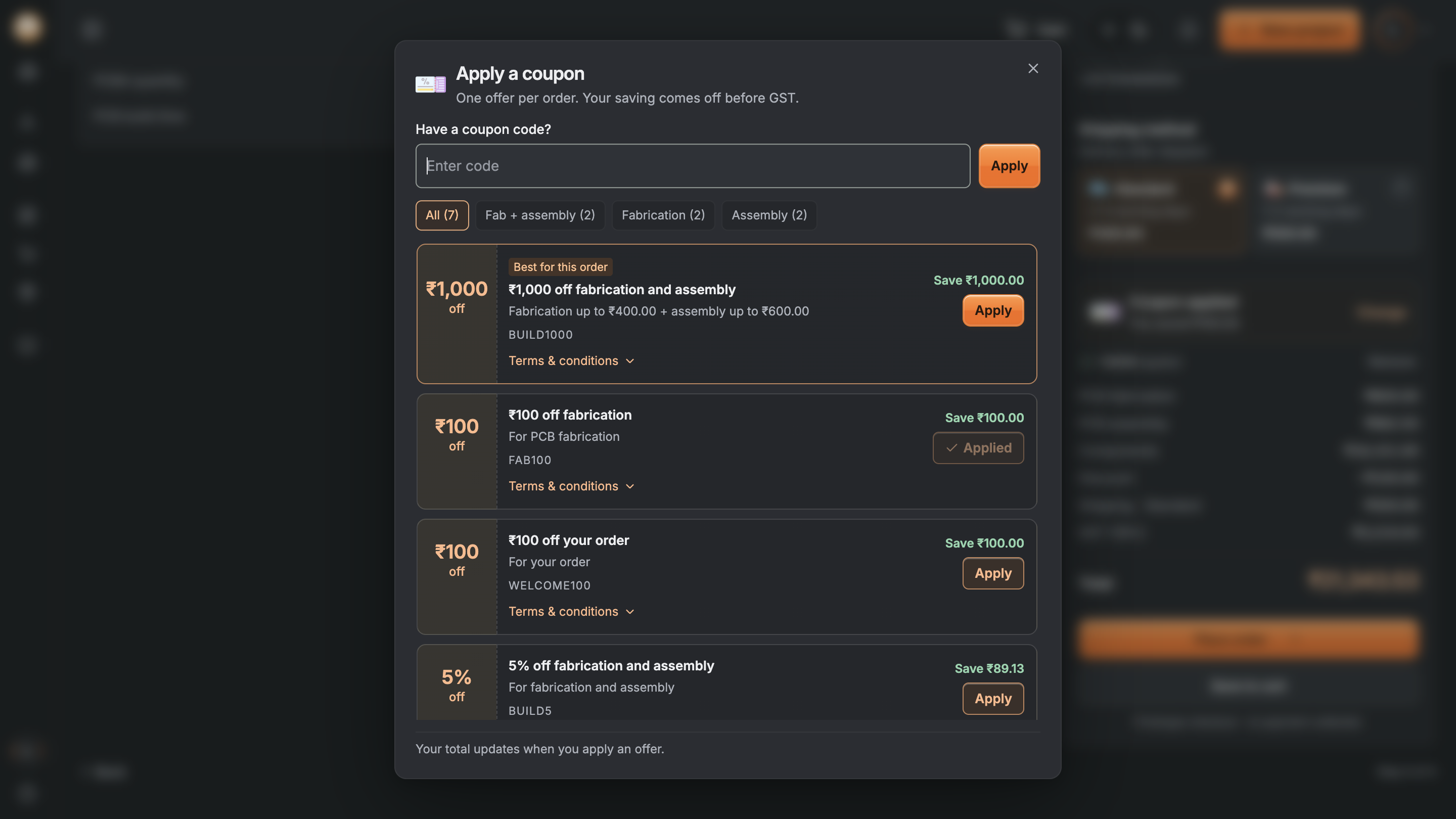
Understand the final saving.
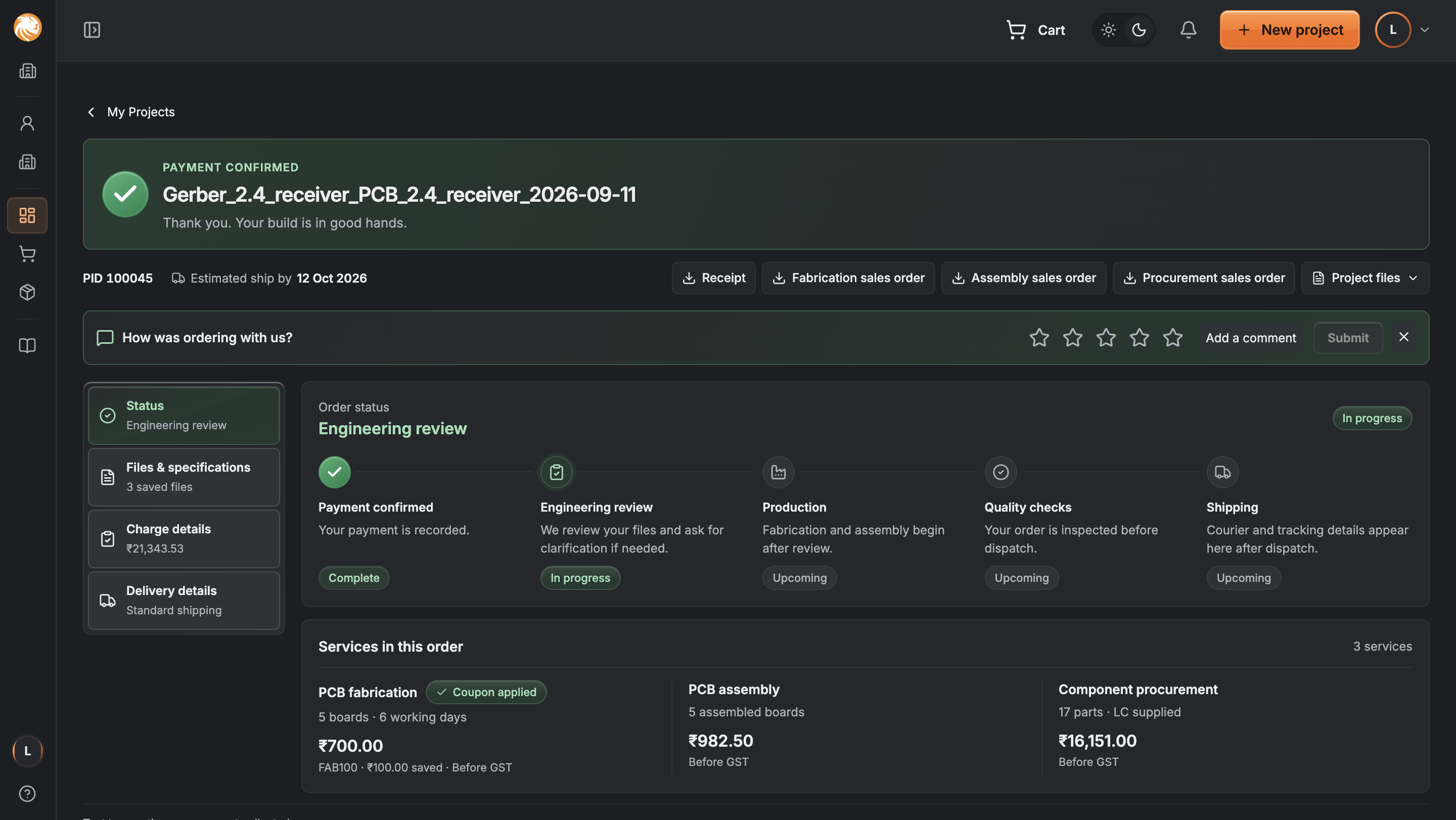
See what happens after payment.
Organise the work around a project. Keep the board, parts, placement and payment connected inside it.
The customer should not need to understand internal departments to complete a build.
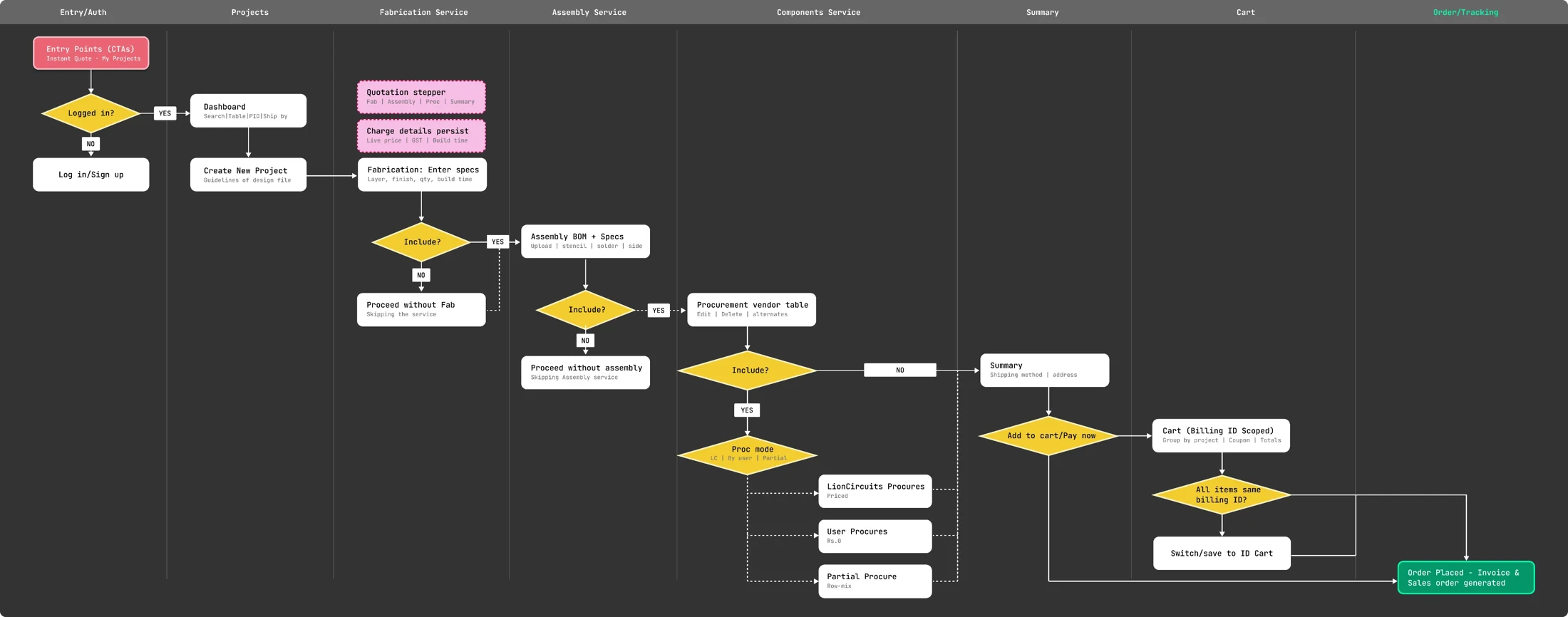
Sketch reconstructed to explain the layout. High fidelity shows the supplied interface.
A complete build, bare boards, parts, or materials you already have. Choose what you need and begin.
New orders and existing projects have distinct places.
The uploaded design becomes a visible board, beside its specifications and live charges.
Preview, configure and check the price in the same view.
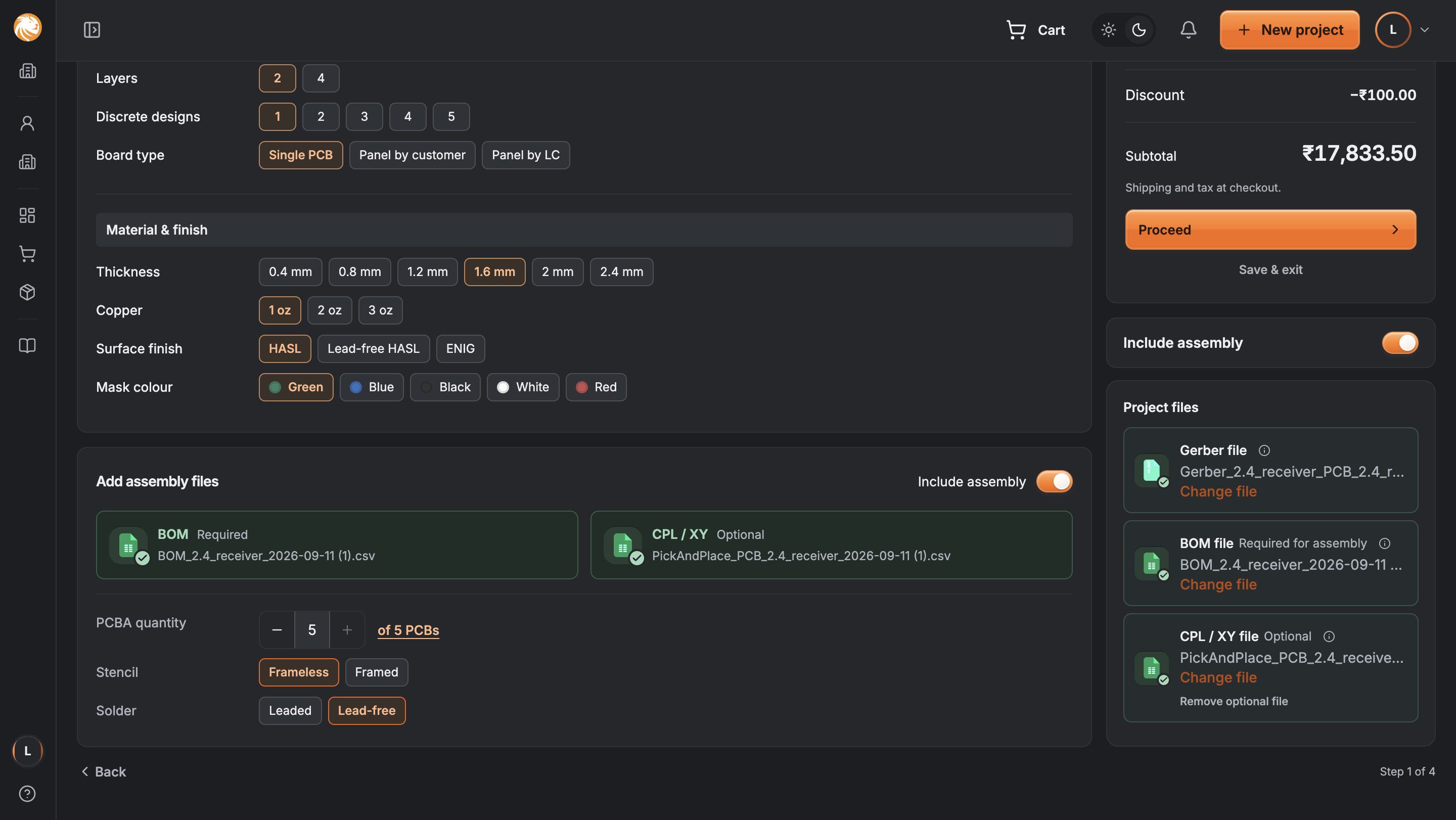
A customer may only need part of a batch assembled. The quantities should reflect that.
Assembly quantity can be lower than the number of boards made.
Illustrative quantity example.
Uploaded data sits beside matched parts, costs and supply choices. Anything unresolved is easy to find.
Choose LC supply, your own parts, or a split for each line.
Inspect price, stock, lead time and alternatives in a drawer. Close it and return to the same row.
Purchasing readiness stays separate from technical approval.
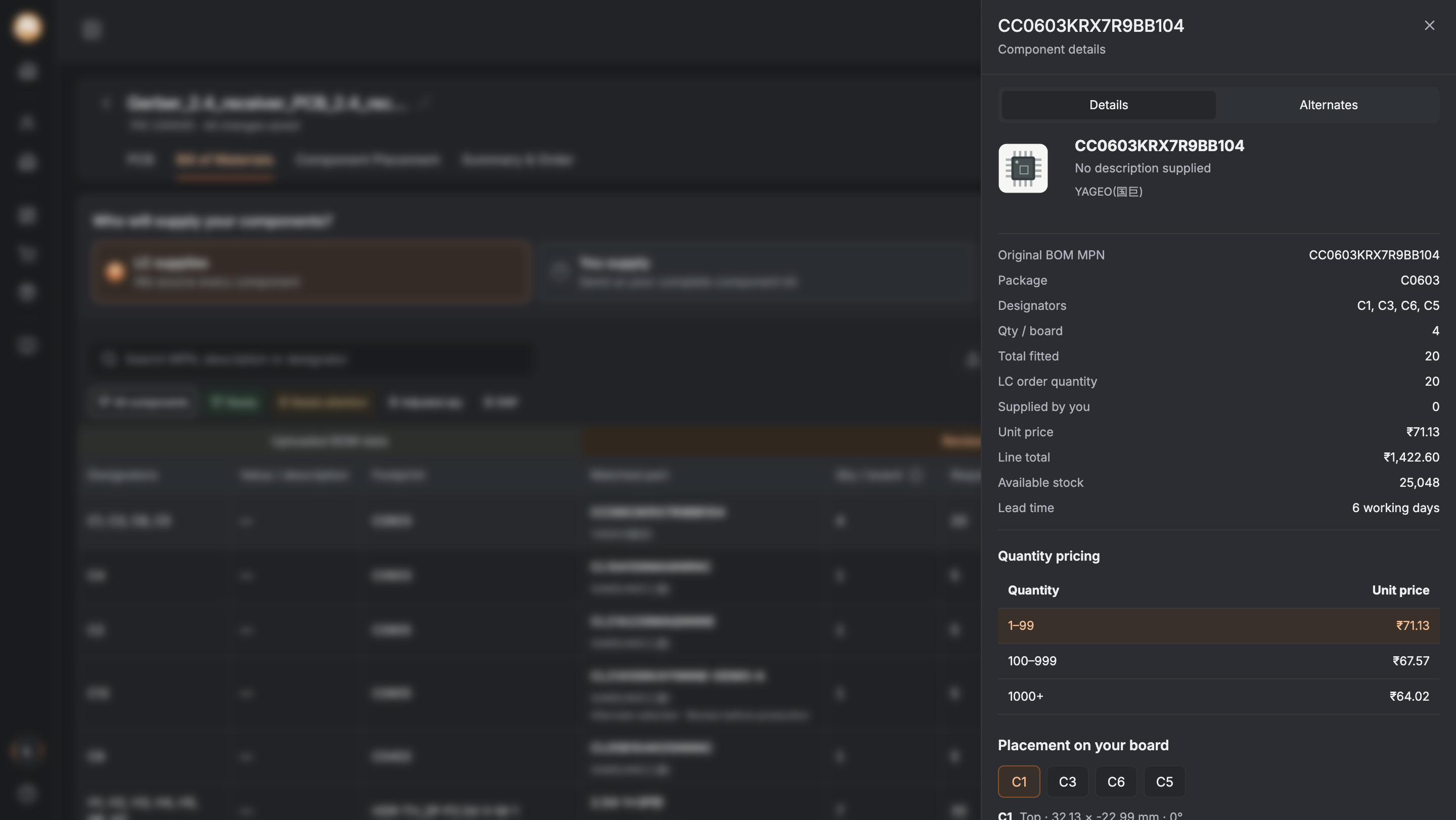
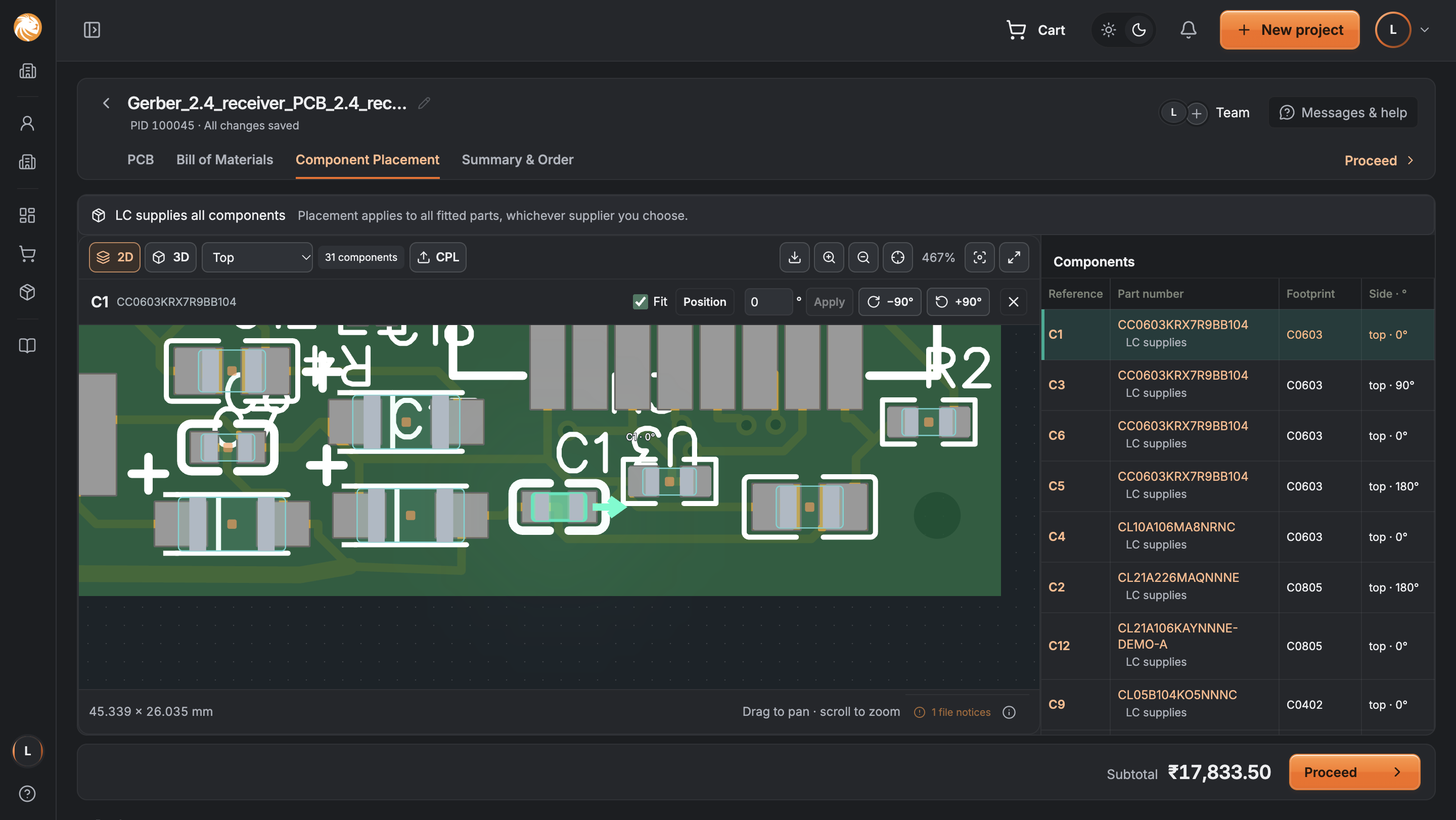
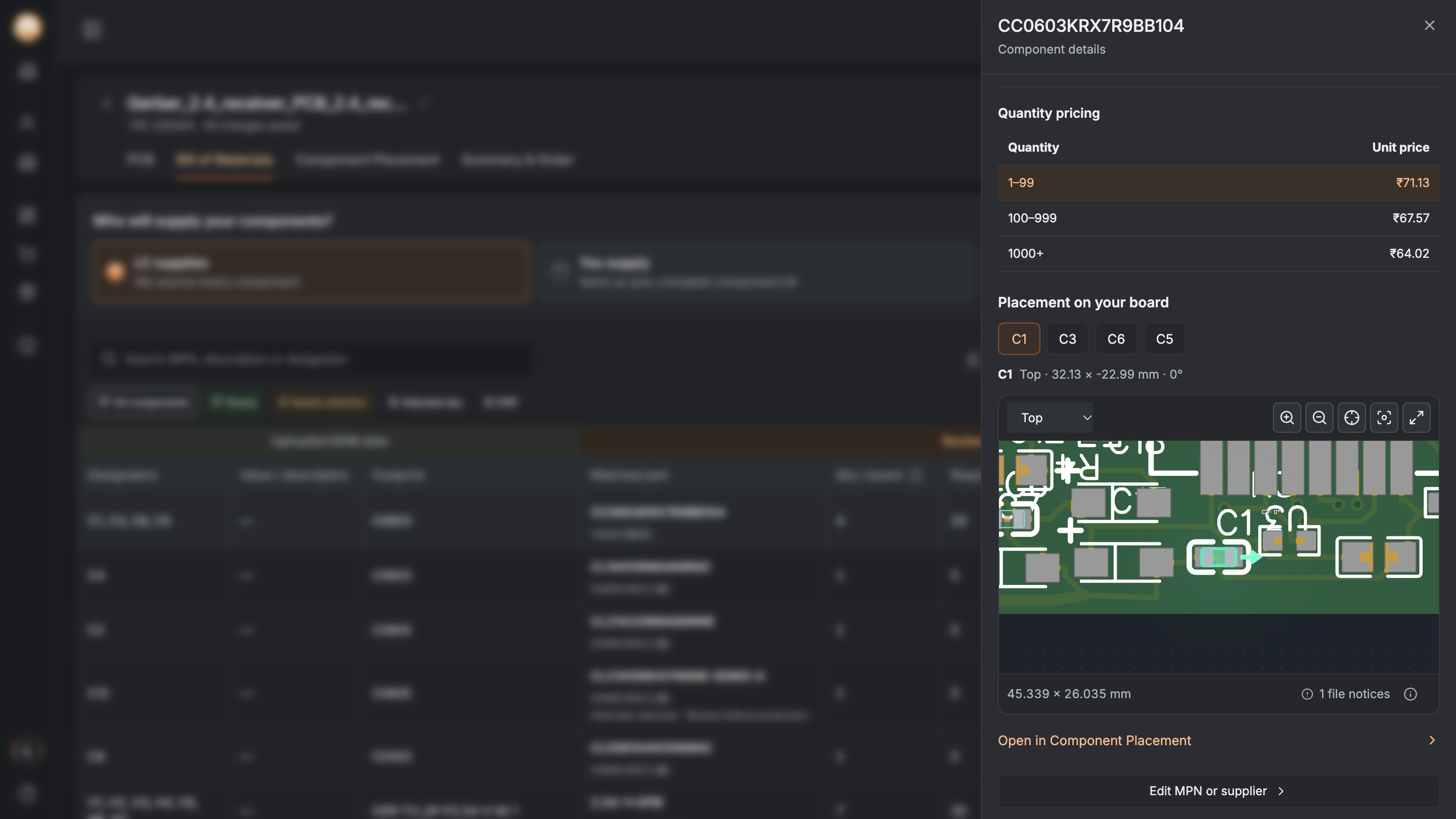
A selected component is highlighted on the board. Open the placement editor to check its position, rotation and fit.
The visual check supports engineering review; it does not replace it.
Review services, delivery, discounts and tax together. Adjust what you need before paying.
Keep the breakdown visible. Save to cart when the customer needs more time.
PCB fabrication + assembly + components
Offers show what is eligible and how much this order will save. The total updates when a coupon is applied.
A clear applied state confirms what changed.
The customer has finished configuring. Confirmation and production progress now take priority.
Keep files, charges and delivery available as supporting, read-only views.
Design iterations from product, engineering and prototype reviews.
Keep a file error beside the upload, with a clear way to replace it.
File could not be read → Replace fileAttention filters take customers straight to the affected part.
Needs attention → Review componentSave the files, choices and cart so the work is there on return.
Save & exit → Resume projectStarting level = 100. Index values, not order counts.
The 2026 iteration extends the project-first approach through visual review and a status-first finish.
Let us talkReported platform growth, approximately May 2024–Oct 2025. Not measured results of the 2026 prototype.